
• Help Improve My Website! I Don’t Know Where to Start.

    Help Improve My Website! I Don’t Know Where to Start.

    You launched your website.
    You shared it on Facebook.
    You told your friends.

    And then…

    Crickets.

    If you’ve ever thought, “Help! What is wrong with my website?” you’re not alone. As a web designer, this is one of the most common things I hear from small business owners.

    Let’s break down what might actually be happening.

    1. Your Website Looks Fine… But It Isn’t Converting

    Your website might not be “broken” but it may not be strategic.

    A beautiful website without clear direction won’t generate:

    • Leads
    • Sales
    • Booked consultations
    • Phone calls

    Ask yourself:

    • Is there a clear call-to-action (CTA)?
    • Does every page tell visitors what to do next?
    • Is it obvious who you serve?

    If your homepage doesn’t clearly say who you help, what you do, and how to get started within 5 seconds, people will leave.

    2. Your Site Isn’t Optimized for SEO

    If you’re not showing up in Google search results, your website may have:

    • No keyword strategy
    • Missing meta descriptions
    • Poor page structure
    • No local SEO optimization
    • Slow loading speed

    Search Engine Optimization (SEO) isn’t just blogging; it’s technical setup, keyword research, and content structure.

    If your business is in Tucson (or anywhere local), your site should be optimized for:

    • “Web designer in Tucson”
    • “Small business website design”
    • “Website redesign services”
    • “SEO for small business”

    If those keywords aren’t naturally built into your site, Google doesn’t know who to show you to.

    3. It’s Not Mobile-Friendly

    Over 60% of users browse on mobile.

    If your site:

    • Loads slowly
    • Has tiny text
    • Has buttons too close together
    • Cuts off images
    • Looks awkward on phones

    You’re losing business instantly.

    Mobile optimization isn’t optional anymore. It’s required.

    4. Your Messaging Is Confusing

    This is HUGE.

    Many small business websites talk too much about themselves and not enough about their clients.

    Instead of:

    “We are a full-service company founded in 2012…”

    It should say:

    “We help busy business owners build high-converting websites that bring in consistent leads.”

    Clear > Clever.

    If visitors have to “figure out” what you do, they won’t.

    5. You Don’t Have Strong Calls-to-Action (CTAs)

    If your site doesn’t clearly guide visitors, they’ll do nothing.

    Strong examples:

    • Book a Free Consultation
    • Get a Website Audit
    • Request a Quote
    • Schedule a Strategy Call

    Every page should lead somewhere.

    Your website should function like a funnel and not a brochure.

    6. Your Website Is Too Slow

    A 1-second delay in load time can significantly reduce conversions.

    Common causes:

    • Large, uncompressed images
    • Too many plugins
    • Cheap hosting
    • No caching system

    Speed affects:

    • User experience
    • SEO ranking
    • Conversion rate

    Slow websites lose trust quickly.

    7. You Built It… and Then Never Updated It

    Websites are not “set it and forget it.”

    They require:

    • SEO updates
    • Content updates
    • Blog content
    • Security updates
    • Technical maintenance

    An outdated site signals an outdated business: even if you’re amazing at what you do.

    So… What’s Actually Wrong With Your Website?

    Most of the time, it’s not just one thing.

    It’s a strategy.

    Your website should be:

    • Designed with purpose
    • Built for conversion
    • Optimized for search engines
    • Structured to guide visitors
    • Aligned with your business goals

    If it’s not doing those things, it’s not working for you.

    And your website should absolutely be working for you 24/7.

    How to Fix It

    You don’t always need a full rebuild.

    Sometimes you need:

    • A professional website audit
    • SEO restructuring
    • Better calls-to-action
    • A homepage rewrite
    • Speed optimization

    Other times?
    Yes, it’s time for a full redesign.

    The key is knowing which one you actually need.

    Ready to Find Out What’s Really Going On?

    If you’ve been wondering, “Why isn’t my website bringing in leads?” Let’s figure it out together.

    At Sam Mac Web Design, I help small businesses:

    • Audit their current website
    • Improve SEO
    • Redesign for higher conversions
    • Build strategic, high-performing websites
    • Strengthen online presence through SEO and social media

    Your website should be your hardest-working employee and not your biggest frustration.

    GET IN TOUCH

    Schedule a Call

  • Is Your Small Business or Nonprofit Ignoring Their Website & Social Media?

    Is Your Small Business or Nonprofit Ignoring Their Website & Social Media?

    If you’re a small business owner or nonprofit leader, your website and social media are not “extras.” They are your digital storefront, your credibility builder, your marketing engine, and often your first impression, all rolled into one.

    In 2026, people don’t ask if you have a website. They ask:

    • Is it professional?
    • Is it clear?
    • Is it easy to use?
    • Is it active?

    If the answer is no, you’re losing opportunities.

    Let’s break down why your website and social engagement matter more than ever and how you can use them strategically to grow.

    Your Website Is Your Digital Headquarters

    Social media is powerful, but you don’t own it. Your website? You do.

    A professional website:

    • Builds trust instantly
    • Explains what you do clearly
    • Converts visitors into customers or donors
    • Works for you 24/7

    Whether you’re a Tucson-based small business or a nonprofit serving your local community, your website should:

    ✔ Clearly state who you help
    ✔ Show proof (testimonials, impact stats, case studies)
    ✔ Have strong calls-to-action (CTA buttons)
    ✔ Be mobile-friendly
    ✔ Load fast
    ✔ Be optimized for search engines (SEO)

    If your site is outdated, slow, or confusing, visitors won’t stick around and Google won’t rank you well either.

    Social Media Drives Visibility & Connection

    Your website is your home base. Social media is the highway that brings people there.

    Platforms like:

    • Facebook
    • Instagram
    • LinkedIn

    …allow you to:

    • Share updates and stories
    • Highlight community impact
    • Promote events and launches
    • Educate your audience
    • Build relationships
    • Increase brand awareness

    For nonprofits, social media builds emotional connection. For small businesses, it builds familiarity and trust. And trust leads to action.

    The Real Power: Website + Social Working Together

    Here’s where many organizations go wrong:

    They post on social media… but don’t drive traffic to their website.
    Or they have a website… but never promote it.

    When used together strategically, you create a marketing ecosystem:

    1. Social media builds awareness
    2. Website builds credibility
    3. Clear CTAs convert visitors
    4. Email capture nurtures long-term relationships

    This creates consistent growth / not random bursts of traffic.

    How This Impacts Small Businesses

    If you’re a service-based business (contractor, consultant, coach, local shop, etc.), your website should:

    • Clearly define your services
    • Speak directly to your ideal client
    • Showcase results
    • Make booking easy

    An optimized website improves:

    • Local SEO rankings
    • Lead generation
    • Conversion rates
    • Professional perception

    When someone searches “candy stores near me” or “Oro Valley First Responders nonprofit,” you want to show up looking polished.

    How This Impacts Nonprofits

    Nonprofits especially need:

    • Clear mission messaging
    • Easy-to-find donation buttons
    • Volunteer sign-up forms
    • Impact storytelling
    • Event promotion pages

    An effective nonprofit website increases:

    • Donations
    • Volunteer engagement
    • Grant credibility
    • Community trust

    Social engagement amplifies your mission. Your website secures the support.

    Signs Your Website & Social Strategy Need Help

    • Your website hasn’t been updated in years
    • You rarely post or post without strategy
    • You’re not ranking on Google
    • You don’t have clear calls-to-action
    • Visitors aren’t converting
    • You’re embarrassed to send people to your site

    If any of that sounds familiar you’re not alone. Most small businesses and nonprofits simply don’t have the time or strategy to manage it well.

    That’s where professional support makes a difference.

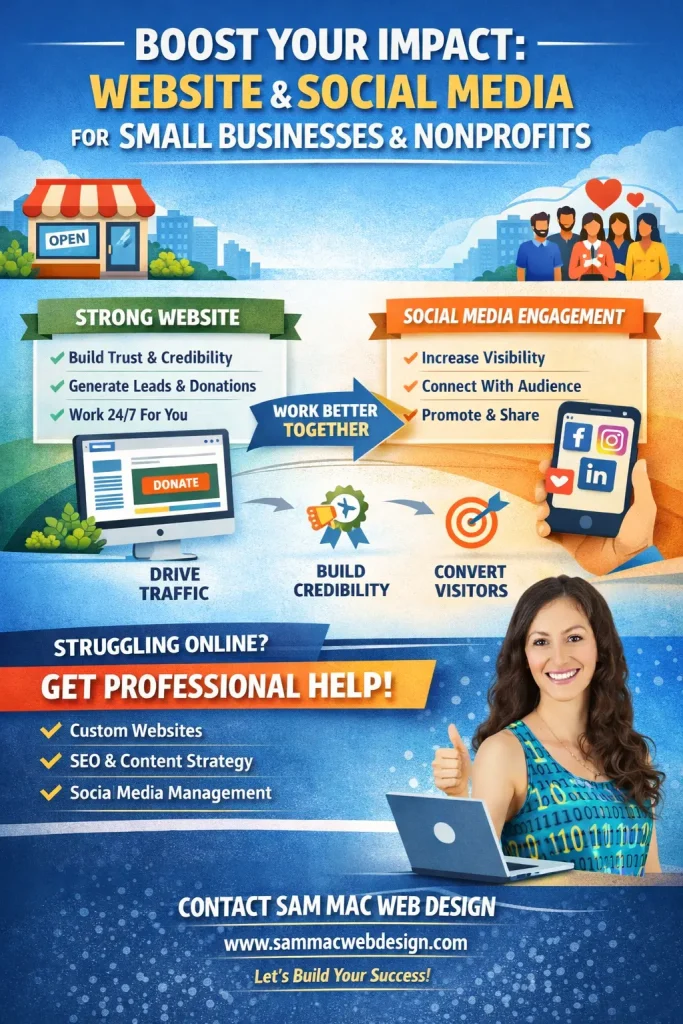
    Image of Sam Mac in front of a laptop comparing the impacts of Strong Web and Social Media Design

    What a Strategic Website & Social Plan Looks Like

    A strong digital foundation includes:

    • Clean, modern design
    • Clear messaging
    • SEO optimization
    • Strategic CTA placement
    • Mobile responsiveness
    • Content planning
    • Consistent brand voice
    • Social-to-site traffic strategy

    It’s not about “just having a website.” It’s about having one that works.

    Ready to Elevate Your Online Presence?

    If you’re a small business or nonprofit looking to:

    • Redesign your website
    • Improve SEO
    • Increase leads or donations
    • Build stronger social engagement
    • Create a content strategy that converts

    Let’s talk.

    At Sam Mac Web Design, I specialize in helping growing businesses and mission-driven organizations build strategic, high-performing websites that align with their goals.

    Your online presence should reflect the quality of your work and the heart behind your mission.

    If it doesn’t, let’s fix that.

    GET IN TOUCH

    Schedule a Call

  • How Strong Calls-to-Action (CTAs) Drive Your Website Goals and Your Revenue

    How Strong Calls-to-Action (CTAs) Drive Your Website Goals and Your Revenue

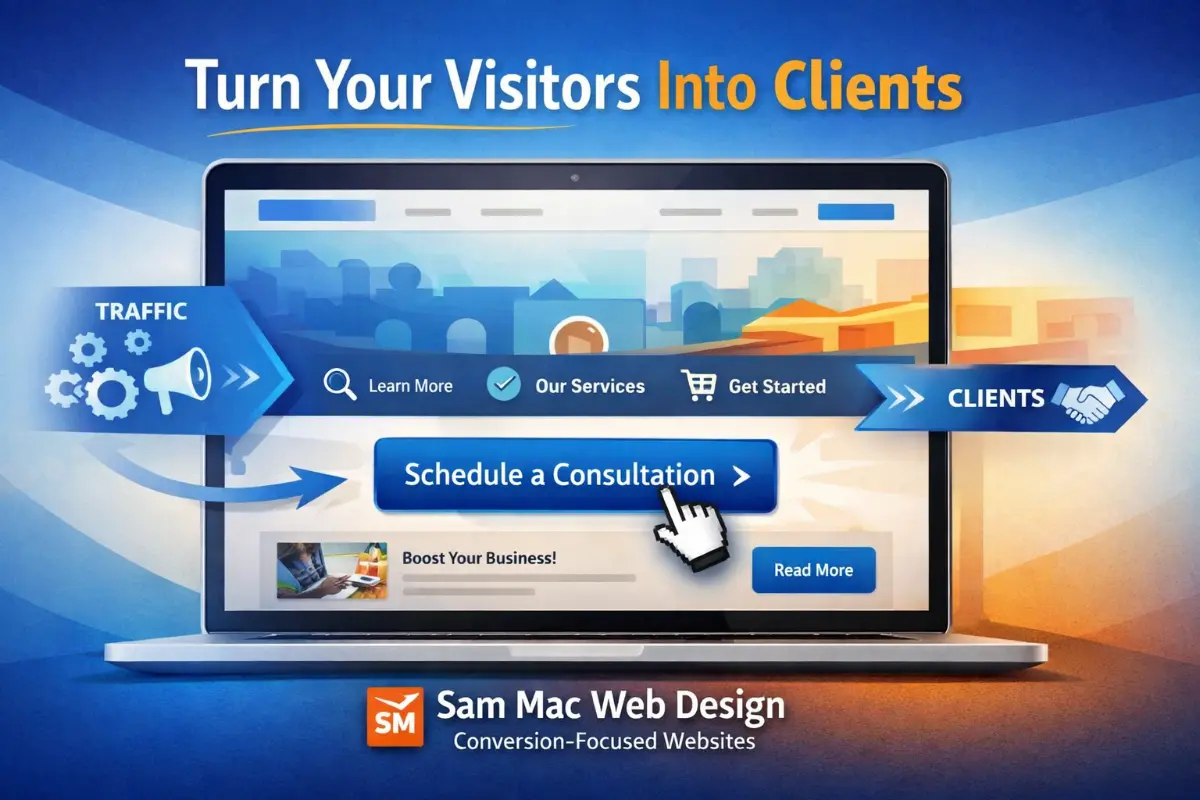
    If your website is getting traffic but not generating leads, bookings, or sales, the issue often isn’t design, it’s direction. Visitors don’t convert when they’re unsure what to do next. That’s where strategic Calls-to-Action (CTAs) make all the difference.

    A well-designed CTA turns passive browsing into measurable results. Whether your goal is more consultations, quote requests, purchases, or sign-ups, your CTA strategy is one of the most important conversion tools on your website.

    Let’s break down how CTAs impact your site goals and how to use them effectively.

    What Is a Call-to-Action (CTA)?

    A CTA is a clear instruction that tells your visitor what step to take next. It can be a button, link, banner, or form prompt.

    Examples:

    • Schedule a Consultation
    • Get a Free Quote
    • Download the Guide
    • Book Your Call
    • Start Your Project
    • Contact Us Today

    CTAs are not just buttons, they are decision triggers.

    Why CTAs Matter for Website Performance

    Many websites focus heavily on layout and visuals but overlook conversion structure. Without intentional CTAs, visitors may:

    • Scroll without acting
    • Leave without contacting you
    • Get distracted by too many choices
    • Not understand your services clearly
    • Delay action and never return

    A strong CTA system helps your website:

    • Increase lead generation
    • Improve conversion rates
    • Guide visitor behavior
    • Support business goals
    • Reduce bounce rates
    • Shorten the decision cycle

    Your website should function like a guided path and not an open maze.

    CTAs Connect Directly to Site Goals

    Every website should have defined goals. Your CTAs should align with those goals.

    Examples of Goal-Driven CTAs:

    Service Businesses

    • Schedule a Consultation
    • Request a Proposal
    • Book a Strategy Call

    Local Businesses

    • Get Directions
    • Call Now
    • Request an Estimate

    E-Commerce

    • Add to Cart
    • Buy Now
    • Claim Offer

    Content & SEO Sites

    • Download Resource
    • Join Newsletter
    • Get the Checklist

    When your CTA matches your business objective, your website starts working for you.

    CTA Placement Is Just as Important as CTA Wording

    Many sites hide their primary CTA at the bottom of a page. That’s a missed opportunity.

    High-performing websites place CTAs:

    • Above the fold (visible without scrolling)
    • After key benefit sections
    • In the middle of longer pages
    • At the end of each major section
    • On service pages
    • In the header navigation
    • As sticky buttons (when appropriate)

    Visitors should never have to search for how to contact or hire you.

    CTA Copy That Converts

    Generic buttons like “Submit” or “Click Here” underperform because they lack value.

    High-converting CTAs focus on outcome and clarity:

    Instead of:

    • Submit

    Use:

    • Schedule My Consultation
    • Get My Website Audit
    • Start My Project
    • Talk With a Designer

    Action + Benefit = Better conversion.

    Visual Design Impacts CTA Success

    Design plays a measurable role in CTA performance.

    Effective CTAs:

    • Contrast with the page color palette
    • Use whitespace to stand out
    • Have clear button styling
    • Are large enough to tap on mobile
    • Use readable fonts
    • Avoid clutter around them

    A beautiful site that hides its CTA is like a store with no checkout counter.

    Mobile CTAs Are Critical

    More than half of website traffic is mobile. Your CTA must be:

    • Easy to tap
    • Visible without excessive scrolling
    • Not blocked by popups
    • Properly spaced
    • Fast to load

    Mobile conversion optimization is now a requirement.

    One Page = One Primary CTA Goal

    Too many CTAs create confusion. Each page should have one primary action supported by secondary options.

    Example service page structure:

    • Primary CTA: Schedule a Consultation
    • Secondary CTA: View Portfolio
    • Supporting CTA: Download Service Guide

    Clarity beats quantity.

    CTA Testing Improves Results

    Small changes can produce large gains:

    • Button wording
    • Color contrast
    • Placement
    • Size
    • Supporting text
    • Form length

    Conversion optimization is not guesswork. It’s strategic testing and refinement.

    How I Build CTA Strategy Into Every Website Project

    At Sam Mac Web Design, I don’t just build websites, I build conversion paths. Every site I design or audit includes:

    • Goal-aligned CTA mapping
    • Conversion-focused page structure
    • Strategic placement planning
    • Mobile CTA optimization
    • SEO-friendly action prompts
    • Consultation and lead funnel setup

    Because traffic without action doesn’t grow a business.

    Ready to Turn Your Website Into a Lead Generator?

    If your site isn’t converting visitors into inquiries, bookings, or clients, your CTA strategy may be the missing piece.

    Let’s fix that.

    I offer website audits, conversion optimization, and full builds designed to support real business goals.

    Schedule your consultation and let’s make your website work smarter.

    GET IN TOUCH

    Schedule a Call

  • Winter Tech Tips to Improve Your Business in the Slow Season

    Winter Tech Tips to Improve Your Business in the Slow Season

    Winter is the perfect time to slow down, reflect, and get your digital presence in shape before the busy seasons hit. While many businesses ease up on marketing this time of year, smart brands use winter to optimize their website, improve SEO, and tighten up their social media strategy, so they’re ahead of the competition come spring.

    If you haven’t checked in on your website recently, these winter tech tips will help you spot issues, improve performance, and uncover opportunities for growth.

    1. Perform a Winter Website Audit (Before Small Issues Become Big Problems)

    Cold months are ideal for a website audit. Why? Fewer promotions, fewer launches, and more time to fix what’s been quietly holding your site back.

    A professional website audit looks at:

    • Page speed and performance
    • Mobile responsiveness
    • Broken links and outdated content
    • Security vulnerabilities
    • SEO structure and metadata
    • User experience and accessibility

    Pro Tip: If your site loads slowly, isn’t mobile-friendly, or hasn’t been updated in over a year, it’s likely costing you traffic and leads.

    2. Improve Website Speed and Performance for Better SEO

    Website speed matters more than ever. Google prioritizes fast-loading, mobile-optimized websites, especially for local searches.

    Winter is a great time to:

    • Optimize images
    • Clean up unused plugins or scripts
    • Enable caching and performance tools
    • Review hosting quality
    • Improve Core Web Vitals

    A faster website means:

    • Better search engine rankings
    • Lower bounce rates
    • Higher conversions

    If your site feels sluggish, it may be time for a performance tune-up or a rebuild using modern WordPress best practices.

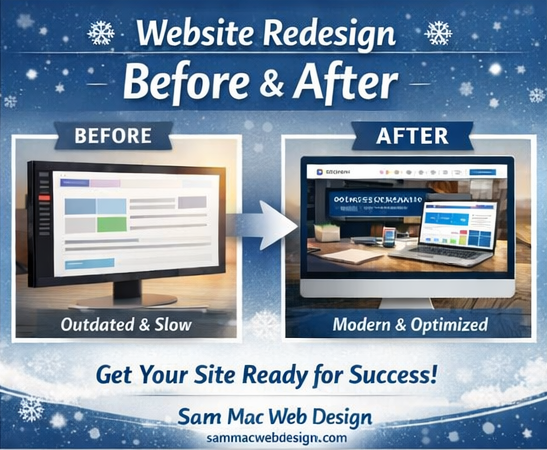
    Website Redesign with images of before: a computer with dry lists and grid layout versus after with images, style and trends displayed

    3. Refresh Your SEO Strategy for the New Year

    Search engine optimization isn’t a “set it and forget it” task. Winter is the perfect season to refresh your SEO strategy so your business shows up when customers are searching.

    Key winter SEO tasks include:

    • Updating keywords for the new year
    • Optimizing blog posts and service pages
    • Improving local SEO (Google Business Profile, citations, reviews)
    • Fixing technical SEO issues
    • Adding fresh, helpful content

    A solid SEO foundation now means stronger rankings and more organic traffic in the months ahead.

    4. Clean Up and Plan Your Social Media Content

    Social media often slows down in winter, but that’s actually an opportunity.

    Use this time to:

    • Audit what content performed best last year
    • Update profile bios, links, and branding
    • Plan content calendars for spring
    • Refresh visuals and messaging
    • Align social media with your website and SEO goals

    Consistency beats constant posting. A thoughtful strategy now saves time and stress later.

    5. Consider a Website Redesign or Rebuild (Without the Rush)

    If your website:

    • Looks outdated
    • Isn’t converting visitors
    • Doesn’t reflect your current brand
    • Is hard to update or manage

    …winter is the best time to plan a website redesign or WordPress rebuild without deadline pressure.

    A modern website should:

    • Be mobile-first and accessible
    • Load fast
    • Be easy to update
    • Support SEO and marketing goals
    • Convert visitors into leads
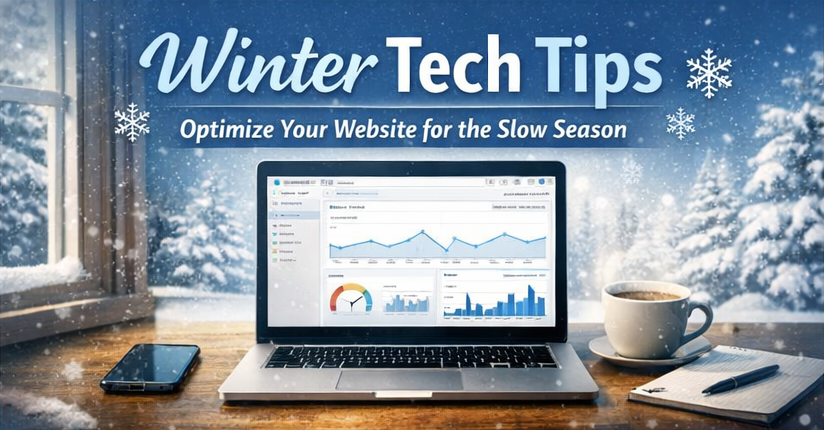
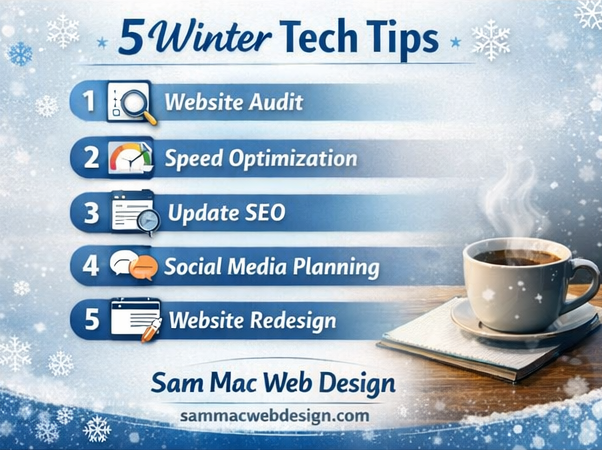
    5 Winter Tech Tips listed with winter background

    Ready for a Winter Tech Refresh?

    Winter doesn’t have to be slow, it can be strategic.

    Whether you need:

    • A website audit
    • A WordPress website build or redesign
    • SEO optimization
    • Social media strategy or support

    I help businesses and nonprofits turn underperforming websites into powerful marketing tools.

    Contact me today to schedule a winter website audit or consultation and get your digital presence ready for the year ahead.

    GET IN TOUCH

    Schedule a Call

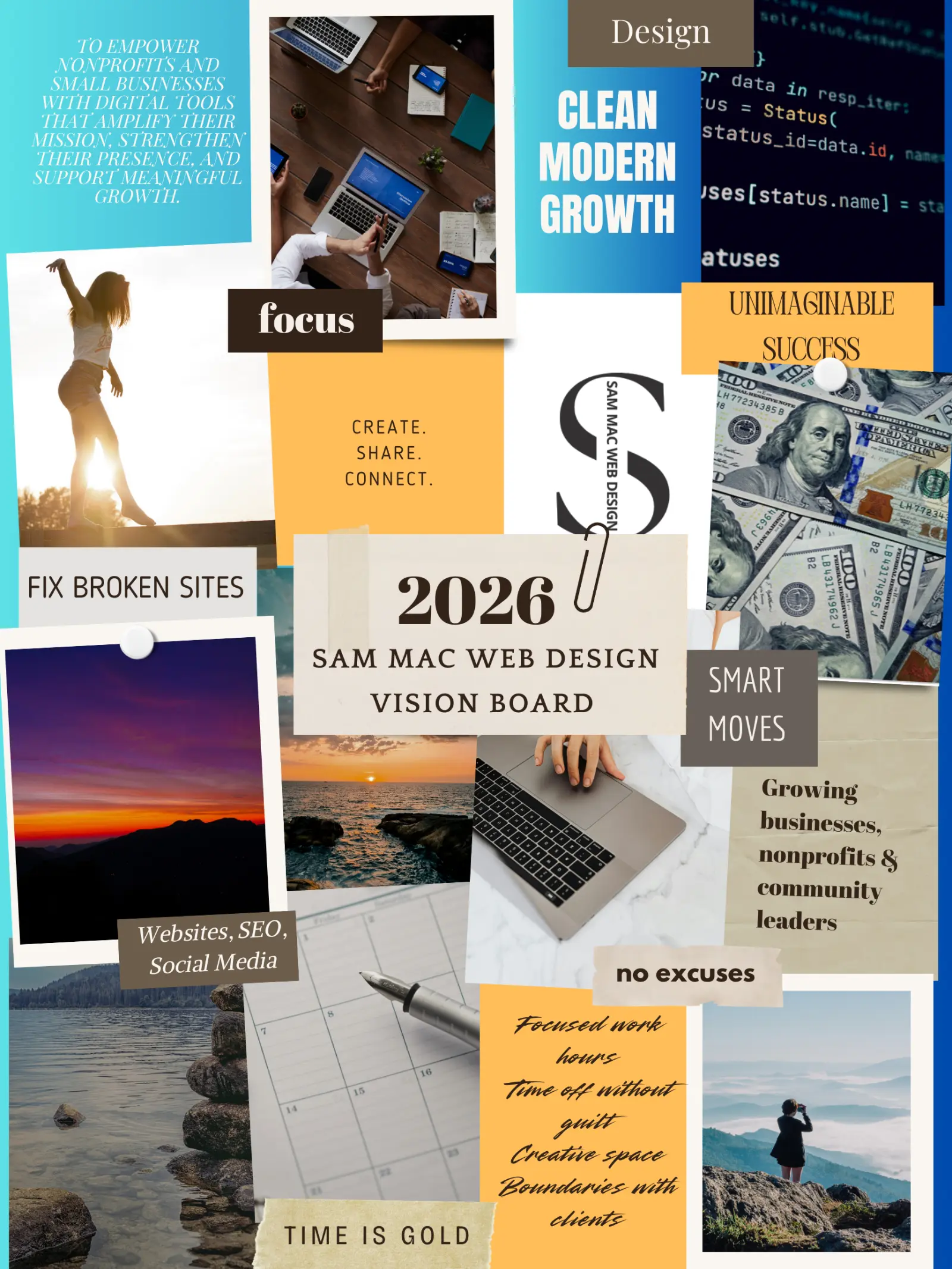
  • Best Digital Vision Board for Growing Business in 2026

    Best Digital Vision Board for Growing Business in 2026

    Clarity is everything as a growing business owner. Having a clear visual direction can help you stay focused on what actually matters, especially in a world where priorities shift fast and opportunities move even faster.

    That’s where digital vision boards for business come in.

    Unlike traditional vision boards, digital versions allow you to align business goals, brand direction, revenue targets, and long-term strategy all in one place you can revisit and update regularly.

    Below is a curated review of the best digital vision board tools for growing businesses, including what they’re best for, how to use them strategically, and which type of business owner they serve best.

    Why Growing Businesses Should Use Digital Vision Boards

    Digital vision boards aren’t just motivational, they’re strategic.

    For growing businesses, they help:

    • Align short-term actions with long-term goals
    • Visualize brand identity and future positioning
    • Keep leadership, marketing, and operations focused
    • Support decision-making during scaling phases

    When used correctly, a digital vision board becomes a business clarity tool, not just inspiration.

    1. Canva: Best Digital Vision Board for Business Branding & Marketing

    Best for: Small businesses, service providers, solopreneurs
    Platforms: Web, iOS, Android
    Cost: Free; Pro available

    Canva is one of the most effective tools for creating business-focused digital vision boards. It blends ease of use with strong visual impact, making it ideal for entrepreneurs who want clarity without complexity.

    Key business benefits:

    • Pre-built templates for brand vision, goals, and planning
    • Easy integration of brand colors, fonts, and logos
    • Ideal for marketing direction, website redesigns, and campaign planning
    • Simple sharing for team alignment

    Best use case: Brand direction boards, annual business vision, marketing inspiration.

    2. Notion: Best Vision Board Tool for Business Planning & Execution

    Best for: Founders, consultants, systems-focused businesses
    Platforms: Web, desktop, mobile
    Cost: Free for personal use

    Notion excels when you want your vision board connected directly to execution. It allows you to combine visuals with measurable goals, timelines, and operational planning.

    Why growing businesses love it:

    • Combine vision boards with OKRs, KPIs, and project plans
    • Add images, affirmations, financial targets, and dashboards
    • Keep strategy and execution in one workspace
    • Easy to update as the business evolves

    Best use case: Strategic planning, quarterly goals, founder dashboards.

    3. Milanote: Best for Creative Business Strategy & Big-Picture Planning

    Best for: Creative agencies, designers, product-based businesses
    Platforms: Web, desktop
    Cost: Free tier available

    Milanote is ideal for business owners who think visually and strategically at the same time. It bridges the gap between creative direction and structured planning.

    Key advantages:

    • Free-form boards for visual brainstorming
    • Combine mood boards, notes, and workflows
    • Strong for brand storytelling and product development
    • Clean, distraction-free interface

    Best use case: Brand evolution, creative strategy, campaign ideation.

    4. Pinterest: Best for Early-Stage Business Vision & Market Research

    Best for: Idea generation, brand discovery
    Platforms: Web, iOS, Android
    Cost: Free

    Pinterest works best as a vision discovery tool, especially during early growth stages when your brand and offerings are still taking shape.

    How businesses use it effectively:

    • Research visual trends in your industry
    • Collect branding, website, and marketing inspiration
    • Identify competitors’ visual positioning

    Important note: Pinterest is best paired with another tool where your final business vision lives.

    5. Google Slides or PowerPoint: Best for Team & Stakeholder Alignment

    Best for: Small teams, nonprofits, consultants
    Platforms: Web & desktop
    Cost: Free

    Slides-based vision boards are underrated and incredibly practical for growing teams.

    Why they work:

    • Easy to present to partners, clients, or stakeholders
    • Familiar tools with no learning curve
    • Ideal for annual planning or team alignment sessions

    Best use case: Team vision boards, leadership planning, client-facing strategy decks.

    How to Choose the Best Digital Vision Board Tool for Your Business

    Ask these questions:

    • Do I need inspiration only or inspiration / execution?
    • Will this be a solo founder tool or shared with a team?
    • Am I visual-first or systems-first?
    • Will this support branding, planning, or both?

    Your best tool is the one that integrates naturally into how you already run your business.

    Pro Tips for Using Digital Vision Boards in Business

    • Review your vision board quarterly
    • Tie visuals to measurable goals
    • Keep it visible inside your workflow
    • Update it as your business evolves
    • Use it to guide decision-making, not just motivation

    Final Thoughts

    For growing businesses, digital vision boards are more than inspiration, they’re alignment tools.

    When your goals, brand direction, and growth plans are clearly visualized, you make better decisions, faster. Choose a tool that supports both vision and action, and your business will thank you.

    GET IN TOUCH

    Schedule a Call

  • WordPress, Wix, or Squarespace, oh my! Which is better for your growing Arizona business?

    WordPress, Wix, or Squarespace, oh my! Which is better for your growing Arizona business?

    If you’re a business owner in Arizona, your website is often the first impression potential customers have of your brand. Whether you’re based in Tucson, Oro Valley, Marana, Bisbee, Casa Grande, Phoenix, Scottsdale, Tempe, Mesa, Chandler, or anywhere in AZ, choosing the right website platform can directly impact your visibility, leads, and revenue.

    Many business owners ask me at Sam Mac Web Design:

    Should I use WordPress, Wix, Squarespace, or another website builder?

    While all platforms can get a site online, only one consistently delivers the flexibility, SEO strength, and marketing power needed for long-term business growth: WordPress.

    Here’s the breakdown.

    WordPress Website Design for Arizona Businesses

    WordPress powers more than 40% of all websites worldwide, including many high-performing local business sites across Arizona.

    At Sam Mac Web Design, I specialize in WordPress web design services in AZ because WordPress allows us to build websites that don’t just look good, but also rank, convert, and scale.

    ✅ Pros of WordPress

    • Full ownership of your website and content
    • Advanced SEO optimization (ideal for Arizona local search)
    • Highly customizable design and functionality
    • Integrates with CRMs, email marketing, booking systems, and analytics
    • Excellent blogging and content marketing capabilities
    • Scales easily as your Arizona business grows
    • Strong performance optimization for speed and mobile users

    ❌ Cons of WordPress

    • Requires hosting and regular maintenance
    • DIY builds can cause security or performance issues
    • Best results come from professional setup

    💡 Why this matters for AZ businesses:
    Local competition is strong. A properly built WordPress website optimized for Arizona SEO gives you a competitive edge in Google Maps, local search, and organic rankings.

    Wix Website Builder: Pros and Cons for Marketing

    Wix is often chosen by startups and DIY users who want something quick.

    ✅ Pros of Wix

    • Easy drag-and-drop editor
    • No hosting setup required
    • Fast initial launch

    ❌ Cons of Wix

    • Limited SEO control for local Arizona searches
    • Slower load times as content grows
    • Difficult to migrate away from later
    • Limited customization and marketing flexibility
    • Not ideal for content-driven growth

    📉 Bottom line:
    Wix can work short-term, but many Arizona business owners eventually outgrow it and need a full rebuild.

    Squarespace Websites: Visually Polished, Structurally Limited

    Squarespace is known for modern templates and clean design.

    ✅ Pros of Squarespace

    • Attractive out-of-the-box designs
    • All-in-one platform
    • Minimal setup

    ❌ Cons of Squarespace

    • Limited SEO customization
    • Rigid layouts and templates
    • Not ideal for advanced funnels or integrations
    • Blogging and content tools are weaker than WordPress
    • Monthly costs add up quickly

    🎨 Best for portfolios but not performance-driven business sites.

    Website Builders Comparison: WordPress vs Wix vs Squarespace

    FeatureWordPressWixSquarespace
    SEO Power⭐⭐⭐⭐⭐⭐⭐⭐⭐
    Customization⭐⭐⭐⭐⭐⭐⭐⭐⭐
    Scalability⭐⭐⭐⭐⭐⭐⭐
    Blogging⭐⭐⭐⭐⭐⭐⭐⭐⭐
    Long-Term Value⭐⭐⭐⭐⭐⭐⭐⭐⭐

    Why Professional WordPress Web Design Outperforms DIY Builders

    The real decision isn’t just about platforms, it’s about strategy.

    A professionally built WordPress website for your Arizona business:

    • Converts visitors into leads
    • Supports long-term local SEO
    • Loads faster on mobile devices
    • Integrates seamlessly with marketing tools
    • Eliminates the need for frequent rebuilds

    At Sam Mac Web Design, I create custom WordPress websites designed around your business goals, audience, and local AZ market.

    Best Website Platform for Small Businesses in Arizona

    If your goal is:

    • Ranking on Google in AZ
    • Growing organic traffic
    • Capturing leads consistently
    • Building long-term brand authority

    👉 WordPress is the best foundation.

    And when built by an experienced Arizona WordPress web designer, it becomes a powerful marketing asset, not just a website.

    FAQs: WordPress, Wix, and Squarespace for Arizona Businesses

    Is WordPress better than Wix for SEO?

    Yes. WordPress offers significantly more control over SEO elements like site structure, metadata, page speed, schema, and local SEO optimization, especially important for Arizona businesses competing locally.

    What is the best website builder for small businesses in Arizona?

    For long-term growth, WordPress is the best website platform for Arizona small businesses. It provides flexibility, scalability, and stronger SEO compared to Wix or Squarespace.

    Do Arizona businesses really need professional WordPress design?

    Yes. DIY builders often lead to slow load times, poor SEO structure, and limited conversions. A professionally built WordPress site helps Arizona businesses rank higher, convert more visitors, and avoid costly rebuilds.

    Can I switch from Wix or Squarespace to WordPress later?

    Yes, but migrations often require a full rebuild. Many Arizona clients come to us after outgrowing Wix or Squarespace and wish they had started with WordPress.

    Does Sam Mac Web Design offer WordPress services in Arizona?

    Yes. Sam Mac Web Design provides custom WordPress web design services for Arizona businesses, including SEO optimization, performance tuning, and ongoing support.

    Ready to Build a High-Performing WordPress Website in AZ?

    If you’re looking for professional WordPress web design services in Arizona, Sam Mac Web Design can help. I build custom, SEO-optimized WordPress websites that support real business growth and not just aesthetics.

    GET IN TOUCH

    Schedule a Call